

Product Update - August 28, 2026
🚀 Open Nexus Product Update (August 28, 2026) – Reports & Data Exports Are Here + More Table Improvements
Hi everyone,
Reports & Data Exports are now here! Alongside this major new feature, we've released several improvements to make working with your Open Nexus data and tables more flexible, efficient, and tailored to your workflow.
📊 Reports & Data Exports Are Here
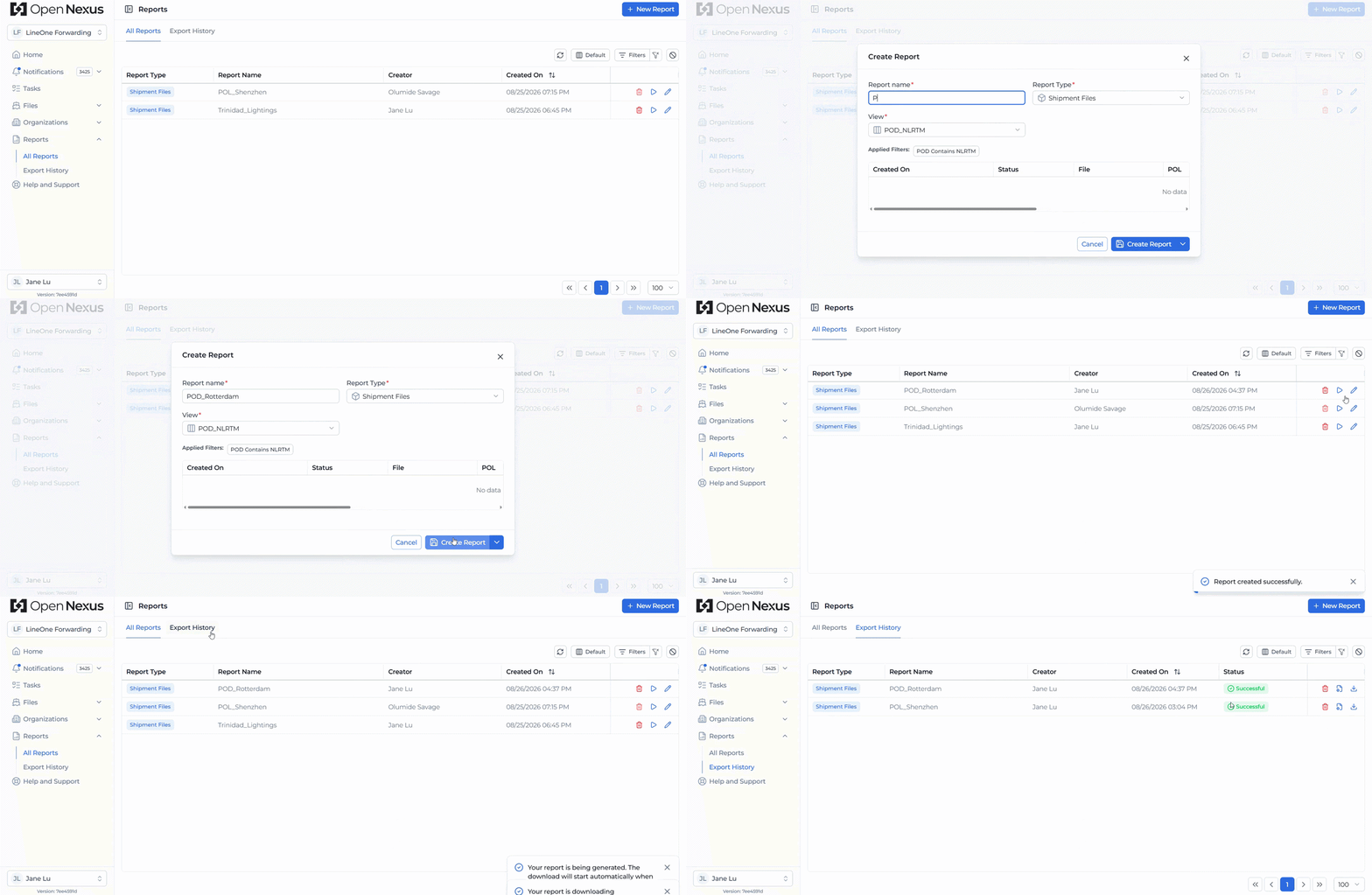
You can now create reusable reports and generate customized data exports directly from your Open Nexus shipment data.
Reports work together with Saved Views. Prepare a Saved View with the filters, selected columns, column arrangement, and sorting you need, then use that configuration to create a reusable report.
Once created, you can run the report whenever you need fresh data without rebuilding the same configuration each time. Reports are generated in Excel (.xlsx) format, making them easy to share with customers or partners when needed, or use for further analysis and reporting.
Example: Create a Saved View for shipments handled by a particular office, POL/POD, or customer, configure the columns and filters you need, and create a report from it. Whenever you need an updated Excel export, simply run the report again using the same configuration.
Generated exports are available under Export History, where they can be downloaded and are stored in Open Nexus for 60 days.
For more details visit the Open Nexus user guide: Learn how to use Reports & Data Exports
↔️ More Flexible Table Column Resizing & Reset
We've improved column resizing across the Booking Files, Notifications, Tasks, and Organization Directory tables, giving you more control over how much information you display on your screen.
Columns can now be made significantly narrower to create a more compact view or expanded when you need to read more of their content.
We've also separated the table reset actions for greater flexibility:
- Clear Filter removes your active filters without affecting your sorting or adjusted column widths.
- Reset Table restores column widths and sorting to their defaults without removing your active filters.
Your adjusted column widths are remembered in your browser, so your preferred table setup remains available when you return.

💾 Your Booking File Filters Are Remembered
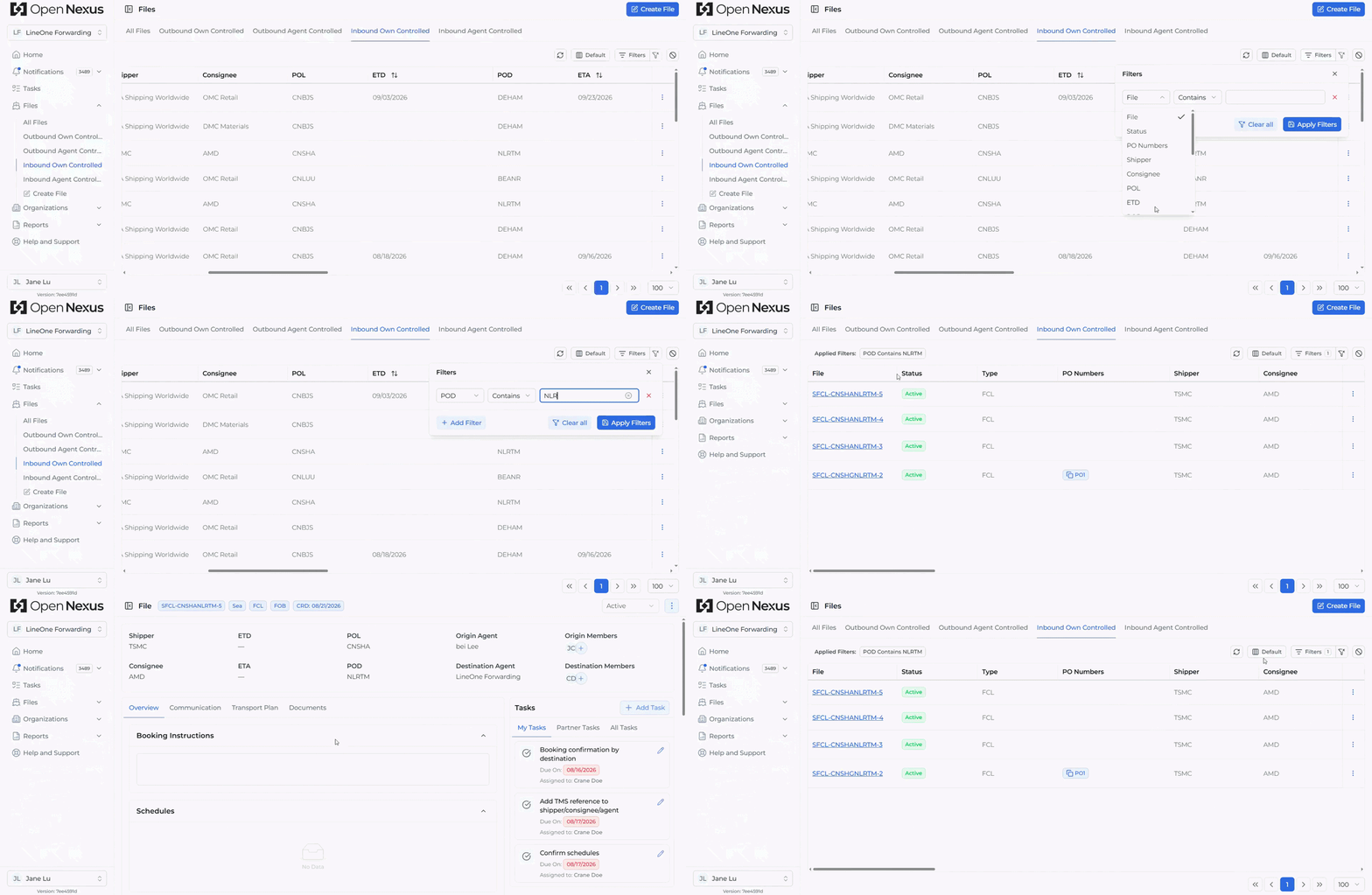
Filters applied to the Default and My Assigned Files Booking File views are now remembered in your browser.
You can switch between views, leave the Booking File table, or reload the page, and your filters will automatically be restored when you return. Each view maintains its own filter configuration, reducing the need to repeatedly set up the same filters.
For My Assigned Files, your Responsible/Informed assignment remains automatically applied alongside any additional filters you choose.
🔔 TMS References Now Available in Notifications
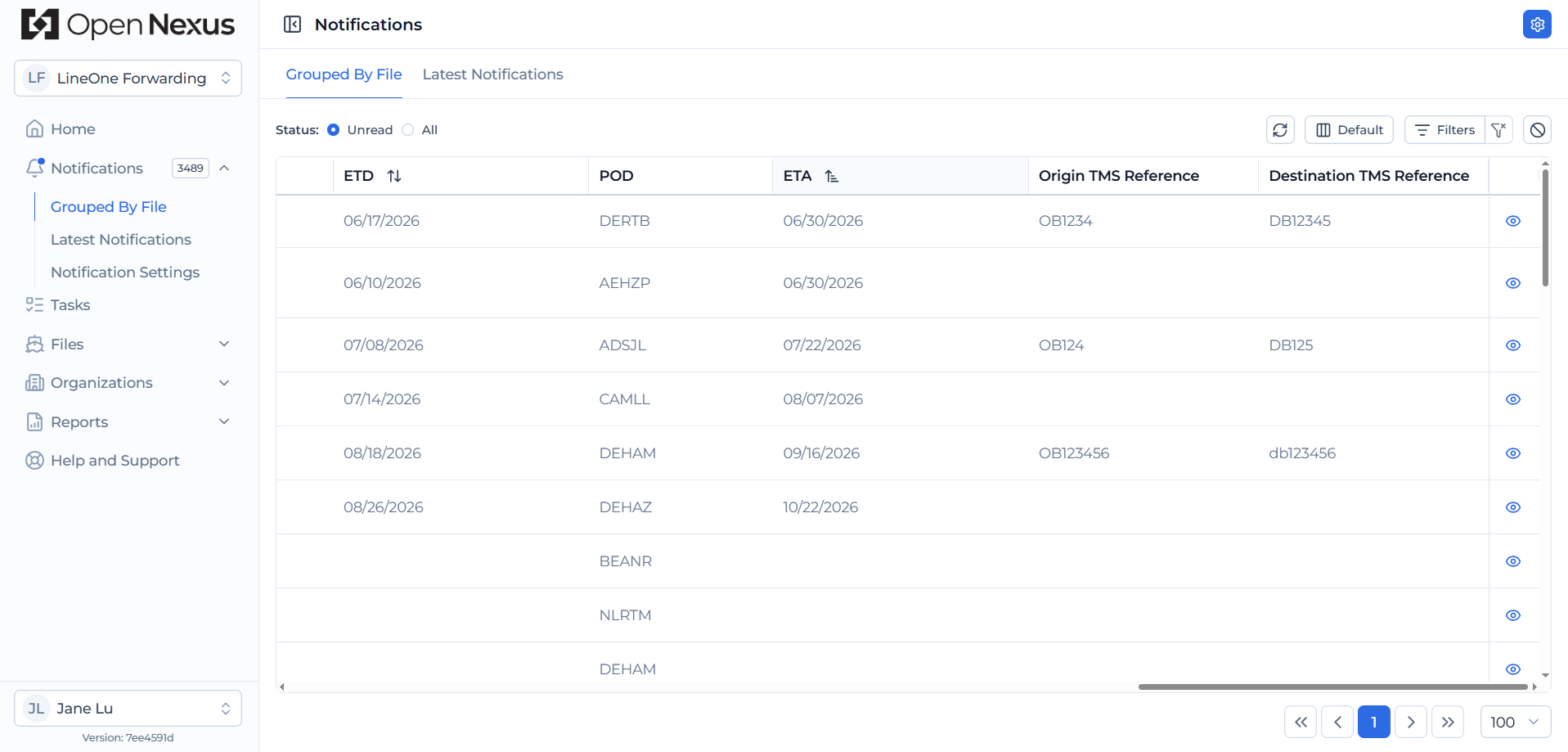
We've added Origin Booking TMS Reference and Destination Booking TMS Reference as selectable columns in the Notification View Table.
These references are available in both Latest Notifications and Grouped by Booking File, making it easier to identify Booking Files and their notifications using the TMS booking references your team already works with.
Try the Latest Features
Log in to Open Nexus today and explore Reports & Data Exports along with these latest improvements designed to make working with your shipment data more flexible and efficient.
If you have any questions or feedback, we'd love to hear from you. Please contact us at support@open-nexus.com.
Thank you for using Open Nexus.
The Open Nexus Team