Shipment Lifecycle
Shipment Lifecycle
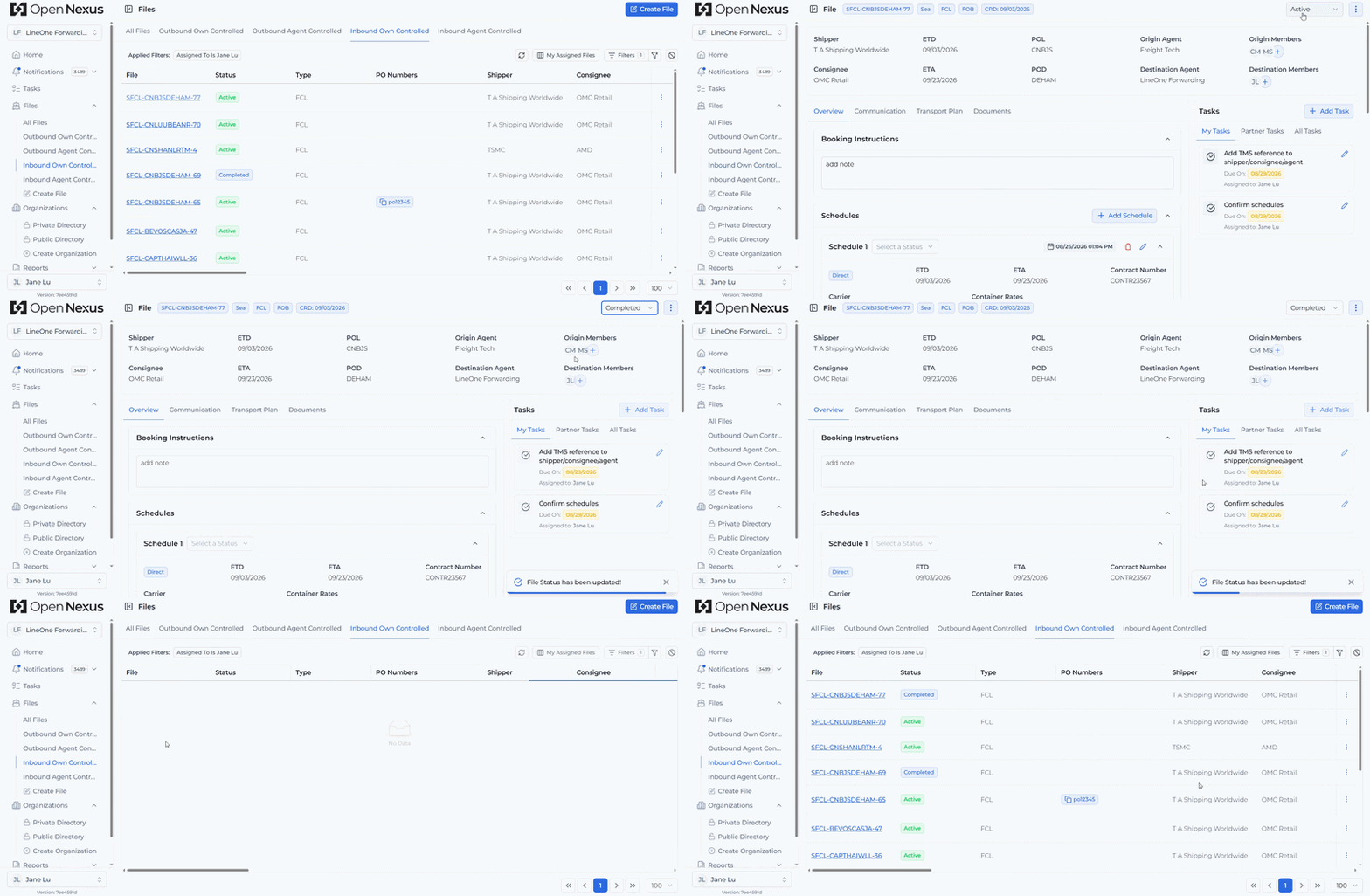
Every Booking File has one status at a time, reflecting where the shipment stands.
| Status | Meaning |
|---|---|
| Active | In progress and being worked on. |
| Completed | Finished. No further operational work required. |
| Cancelled | Will not proceed. |
A file becomes Active the moment it is created. Status is viewed and changed from the status dropdown at the top of the Booking File.
Completing or cancelling a file
Both actions ask for confirmation before they take effect. This is a deliberate guard against a misclick changing the status of a live shipment, and it gives you a moment to be sure before the file leaves your active list.

Keeping the list clean
Status is what separates the shipments that still need attention from the ones that do not. A file left Active after the cargo has been delivered keeps appearing in everyone's working list and in the saved views your team relies on.
File status is filterable in the Booking File View Table, so a saved view of open work is only useful if statuses are kept current. See Views, Filters and Sorting.
💡 Close files as the shipments close. A tidy list is what makes the overdue items obvious.
Starting a new file from an old one
Where a new shipment closely resembles a completed one, duplicate the existing Booking File rather than building it again from scratch.
Booking Instructions are deliberately not carried across, so instructions are always written for the shipment in hand rather than inherited from a previous one.