

Transport Module
Tasks
Working with tasks as your operational checklist in Open Nexus.
7. Working with Tasks (Your Operational Checklist)
Open Nexus supports two types of tasks within a Booking File:
- Default Tasks – Automatically generated by Open Nexus based on the shipment workflow and Booking Mode (Agent Role).
- Custom Tasks – Manually created by users to capture additional activities or requirements specific to a shipment.
Custom Tasks
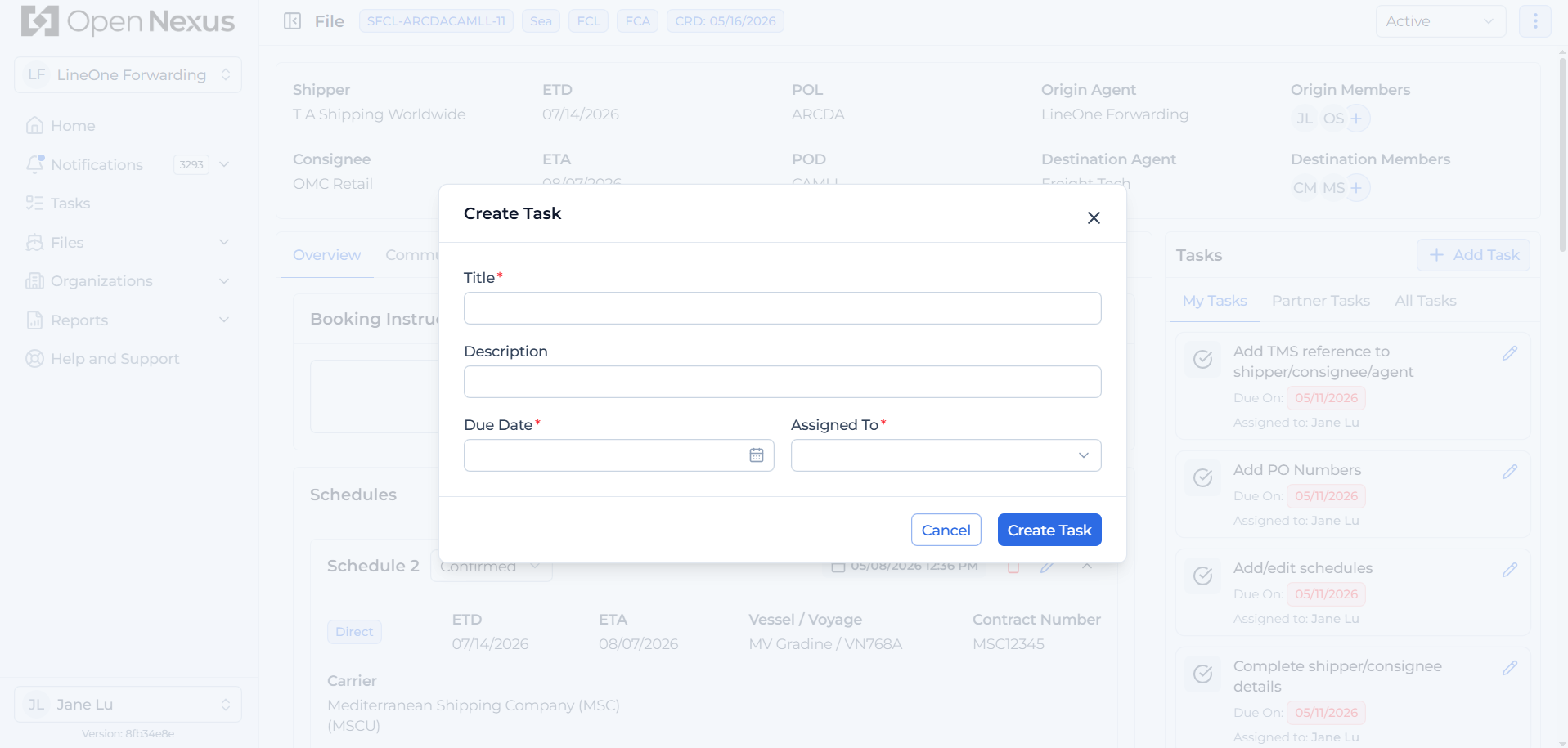
To add a Custom Task, click the “+ Add Task” button. The Create Task modal will open with similar fields to the Default Task edit state, but all fields can be edited:
- Title
- Description
- Due Date
- Assigned To
Complete the fields and create the task to add it to the Booking File.
How Default Tasks Are Created
As soon as your Booking File is created, Open Nexus generates Default Tasks.
These tasks represent the operational steps required to execute the shipment.
Default Tasks are derived from:
- The Booking Mode (Agent Role).
- The responsible freight forwarding agents on the file are assigned the tasks.
This ensures tasks reflect whether the shipment is:
- Outbound Own Controlled
- Outbound Agent Controlled
- Inbound Own Controlled
- Inbound Agent Controlled
Tasks List for Scenario A – Origin Agent Creates the File
Outbound Own Controlled (default) / Outbound Agent Controlled
- Add PO Numbers – Add PO numbers to each container under Container Details.
- Complete Shipper/Consignee Details – Complete the missing Shipper Contact Person and/or Consignee Contact Person details in the respective party sections.
- Add TMS Reference to Shipper/Consignee/Agent – Add the missing TMS reference to the relevant shipper, consignee, or freight forwarding organization.
- Add/Edit Schedules – Create a new schedule or update an existing schedule under Schedule Details.
- Complete Rates – Enter the missing freight rates under the relevant schedule in Schedule Details.
- Place Booking with Carrier. Enter carrier booking number – Update the schedule status to Booking Placed and enter the Carrier Booking Number under Schedule Details after placing the booking with the carrier.
- Space Released. Enter carrier Shipping Order (S/O) number – Update the schedule status to Space Released and enter the Carrier Shipping Order (SO) Number under Schedule Details once space has been secured.
- Send Shipping Instructions (SI) to carrier. Complete Container Details – Complete missing container information, including container numbers, under Container Details.
- Upload Pre-Alert Documents. Enter HBL Details – Upload the required pre-alert documents under Documents such as Bill of Lading documents, and complete the missing HBL & MBL details under Basic Shipment Details.
Inbound Agent Controlled (default) / Inbound Own Controlled
- Booking Confirmation by Destination – Confirm receipt of the Booking File and acknowledge responsibility to work on the shipment from the destination side.
- Add TMS Reference to Shipper/Consignee/Agent – Add the missing TMS reference to the relevant shipper, consignee, or freight forwarding organization.
- Confirm Schedules – Review and approve the preferred schedule, and update the schedule status to Confirmed under Schedule Details.
Tasks List for Scenario B – Destination Agent Creates the File
Outbound Agent Controlled (Default) / Outbound Own Controlled
- Booking Confirmation by Origin – Confirm receipt of the Booking File and acknowledge responsibility to work on the shipment from the origin side.
- Contact Shipper – Record that the shipper has been contacted regarding the shipment.
- Booking Note Received from Shipper – Record that the booking request has been received from the shipper.
- Add PO Numbers – Add PO numbers to each container under Container Details.
- Complete Shipper/Consignee Details – Complete the missing Shipper Contact Person and/or Consignee Contact Person details in the respective party sections.
- Add TMS Reference to Shipper/Consignee/Agent – Add the missing TMS reference to the relevant shipper, consignee, or freight forwarding organization.
- Add/Edit Schedules – Create a new schedule or update an existing schedule under Schedule Details.
- Complete Rates – Enter the missing freight rates under the relevant schedule in Schedule Details.
- Place Booking with Carrier. Enter carrier booking number – Update the schedule status to Booking Placed and enter the Carrier Booking Number under Schedule Details after placing the booking with the carrier.
- Space Released. Enter carrier Shipping Order (S/O) number – Update the schedule status to Space Released and enter the Carrier Shipping Order (SO) Number under Schedule Details once space has been secured.
- Send Shipping Instructions (SI) to carrier. Complete Container Details – Complete missing container information, including container numbers, under Container Details.
- Upload Pre-Alert Documents. Enter HBL Details – Upload the required pre-alert documents under Documents such as Bill of Lading documents, and complete the missing HBL & MBL details under Basic Shipment Details.
Inbound Own Controlled (Default) / Inbound Agent Controlled
- Add TMS Reference to Shipper/Consignee/Agent – Add the missing TMS reference to the relevant shipper, consignee, or freight forwarding organization.
- Confirm Schedules – Review and approve the preferred schedule, and update the schedule status to Confirmed under Schedule Details.
Where to Manage Tasks
Inside the Booking File
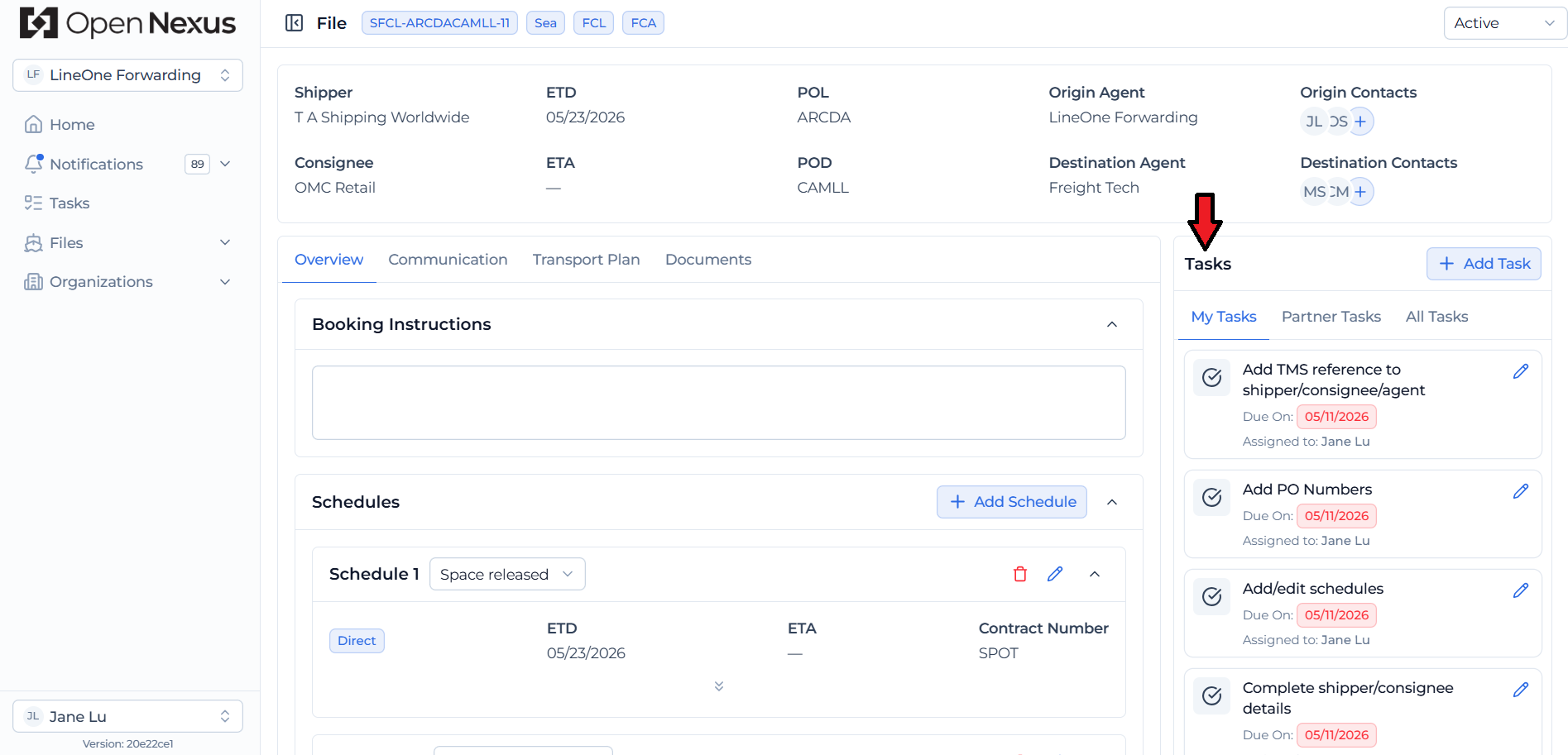
- View tasks specific to that shipment on the right side of the shipment file
- My Tasks Tab: Tasks assigned to me that I am responsible for completing.
- Partner Tasks Tab: Tasks assigned to the partner for visibility and tracking only.
- To add a Custom Task: Click the “+ Add Task” button. The Create Task modal will open with similar fields to the Default Task edit state, but all fields can be edited including Title and Description fields:
Task View Table (Main Menu)
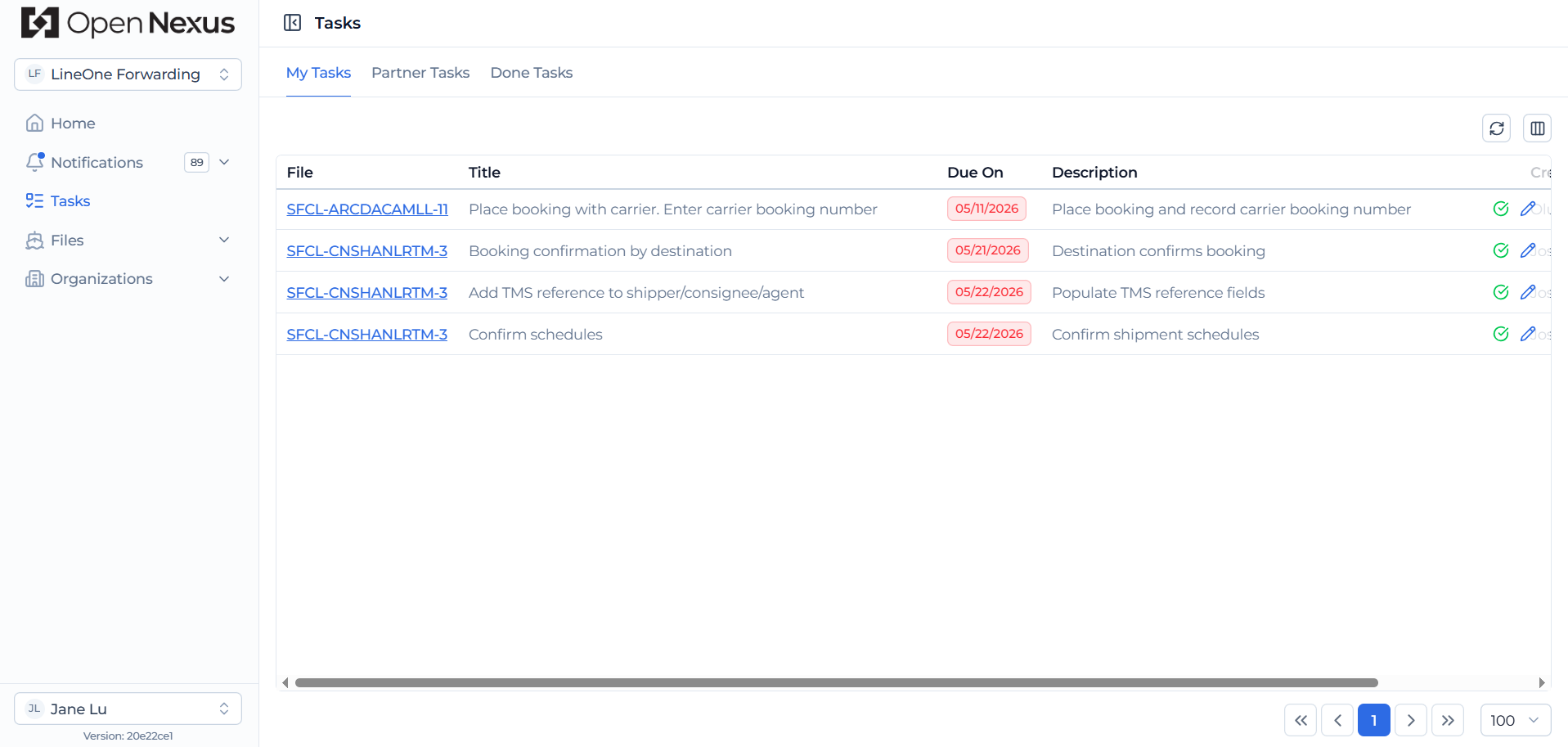
- The Task View Table provides a centralized view of all tasks across Booking Files where you are assigned as Responsible for the task.
- View key task information and use the table to quickly identify tasks that are upcoming, due soon, overdue, or completed.
- Click the Booking File ID to open the related Booking File, review the task, and take the required action.
How Tasks Work
Each task:
- Has a Responsible User
- May depend on another task
- Can be marked complete
Hint:
If you are unsure what to do next in a shipment, your task list is your guide.