

Product Update - August 17, 2026
🚀 Open Nexus Product Update (August 17, 2026)– Advanced Filters, Saved Views, Sorting & Workflow Improvements
Hi everyone,
Advanced Filters and Saved Views are now here! And that’s not all—we have a ton of additional features and improvements as part of this release, designed to make it easier to find the information you need, customize your workflows, and manage your shipments more efficiently on a user and organization level within Open Nexus.
🔎 Advanced Filters Across Open Nexus
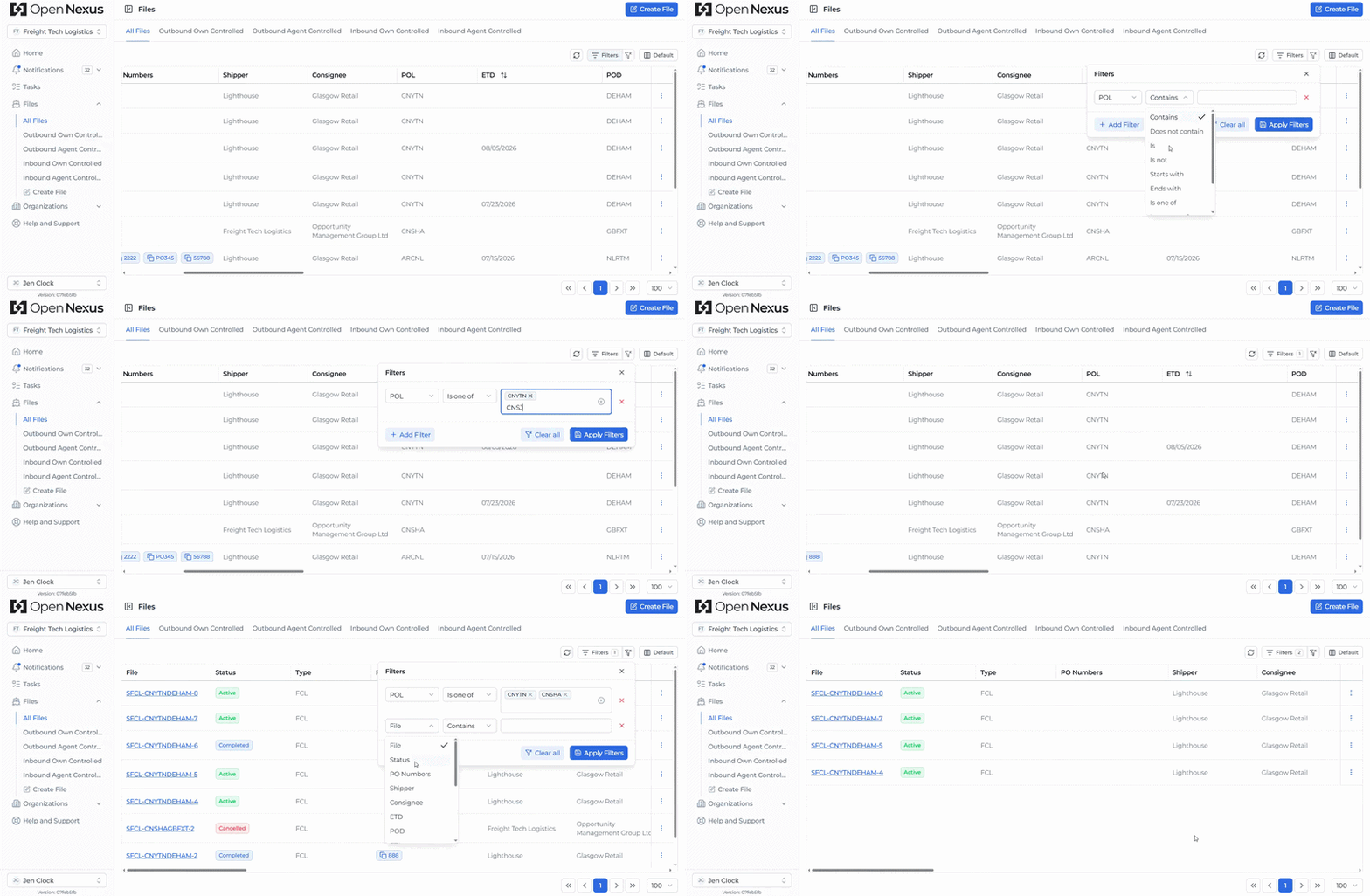
Advanced Filters are now available across the Booking Files, Notifications, Tasks, and Organization Directory tables.
You can now use filter conditions such as Contains, Does Not Contain, Starts With, Ends With, Is One Of, Is Between, and more to narrow down information with greater precision.
Example: You can filter Booking Files to show shipments with a specific POL, a Cargo Ready Date within a selected period, and only certain File Statuses—giving you a focused list of the shipments you need to work on.
⭐ Saved Filter Views
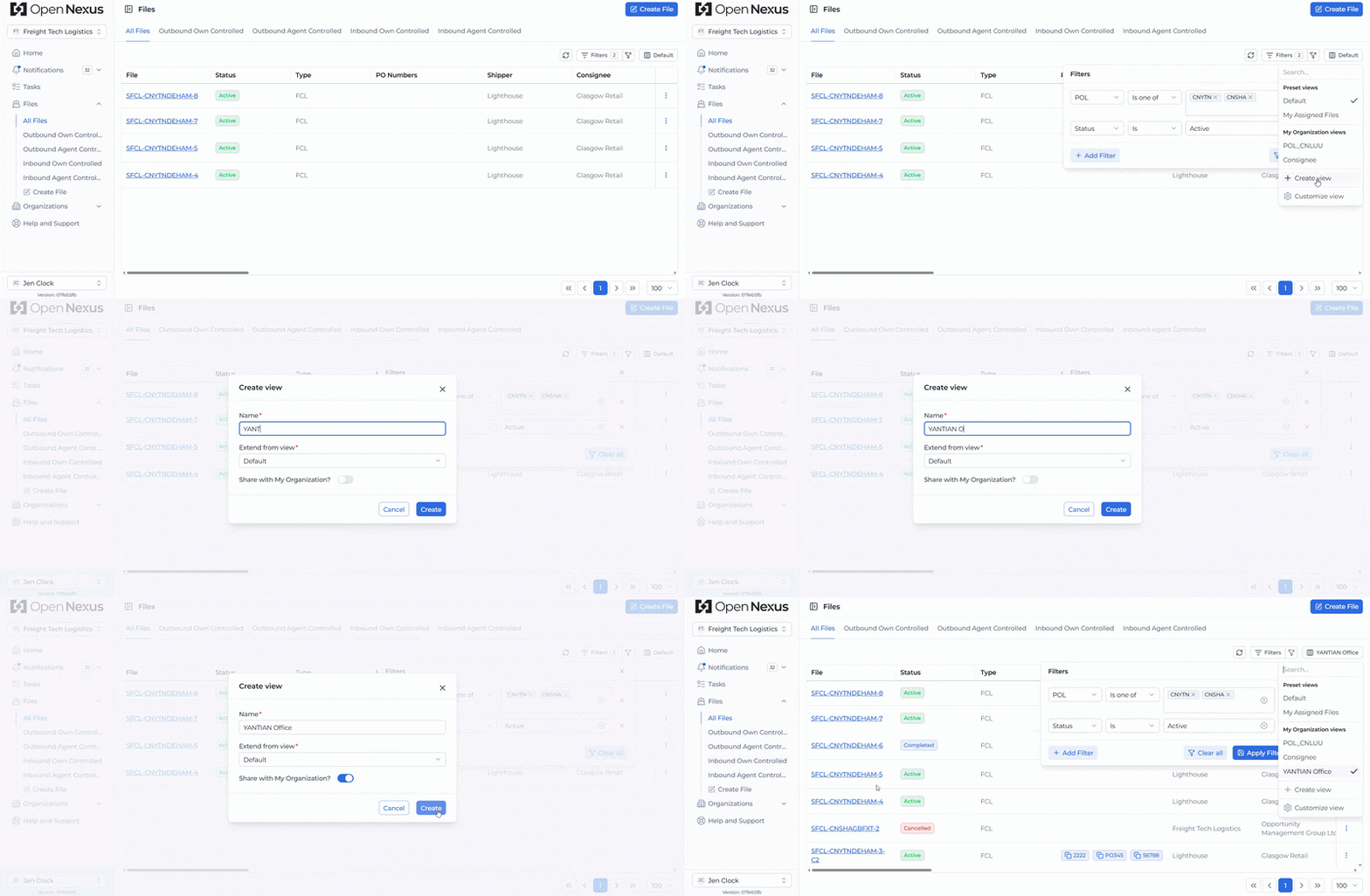
Saved Views are now even more powerful. On Booking Files, Notifications, and Tasks, you can save your filters, selected columns, and column arrangement together under a named view.
Views can be personal to you or shared across your organization, making it possible to create reusable workflows for different teams and purposes.
Example: An organization with multiple offices could create a shared "Hamburg Office" view filtered by relevant POL/POD locations and configure the columns the team needs. Team members can then switch to that view without setting up the table and filters each time.
↕️ Sorting Across Open Nexus Tables
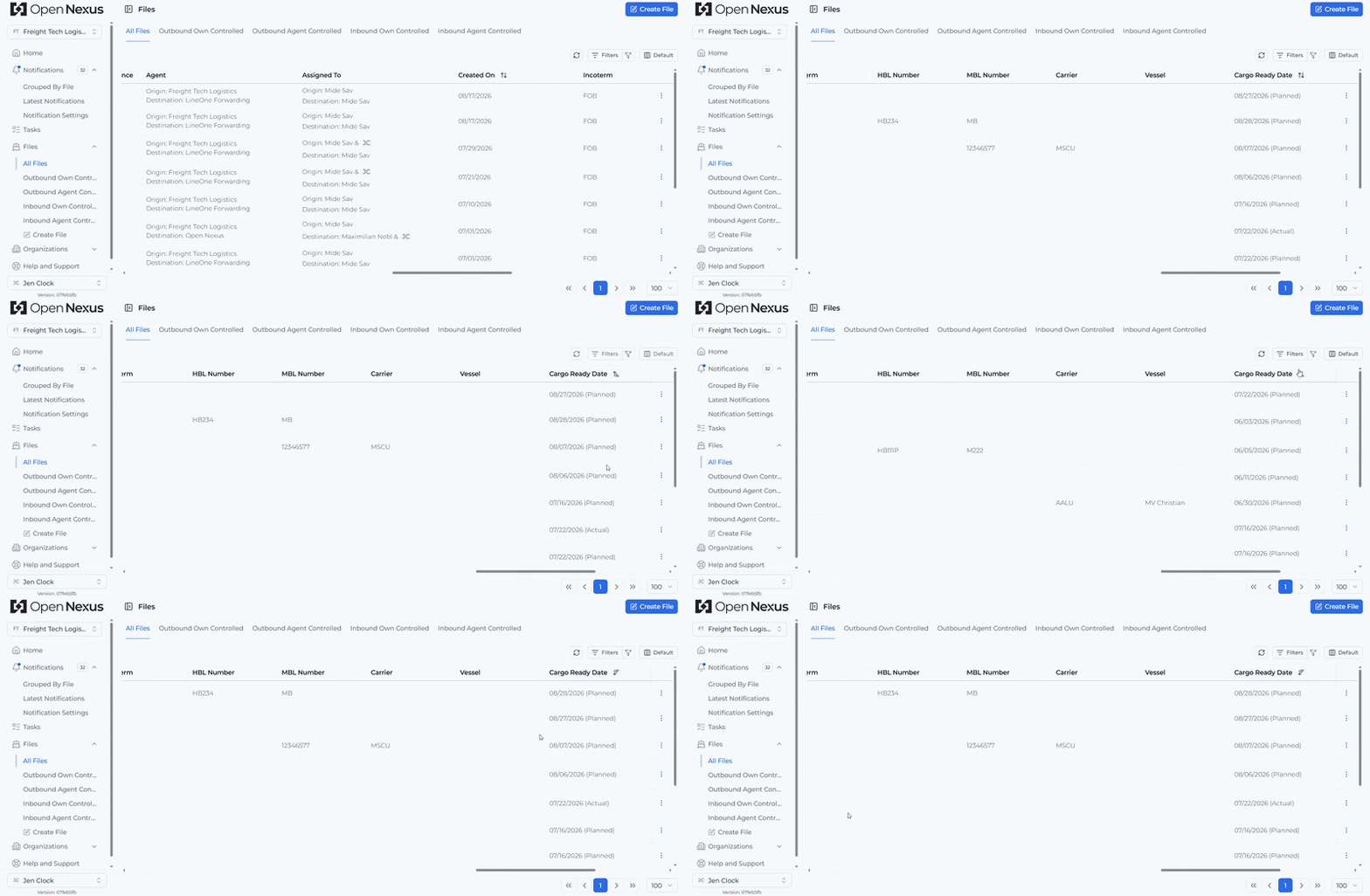
Sorting is now available across Booking Files, Notifications, Tasks, and Organization Directory tables and works alongside Advanced Filters.
You can sort relevant date and timestamp fields such as ETA, ETD, Cargo Ready Date, File Creation Date, Due On, and more, making it easier to organize results in the order most useful to you.
👤 My Assigned Files: Quickly Access Your Assigned Booking Files
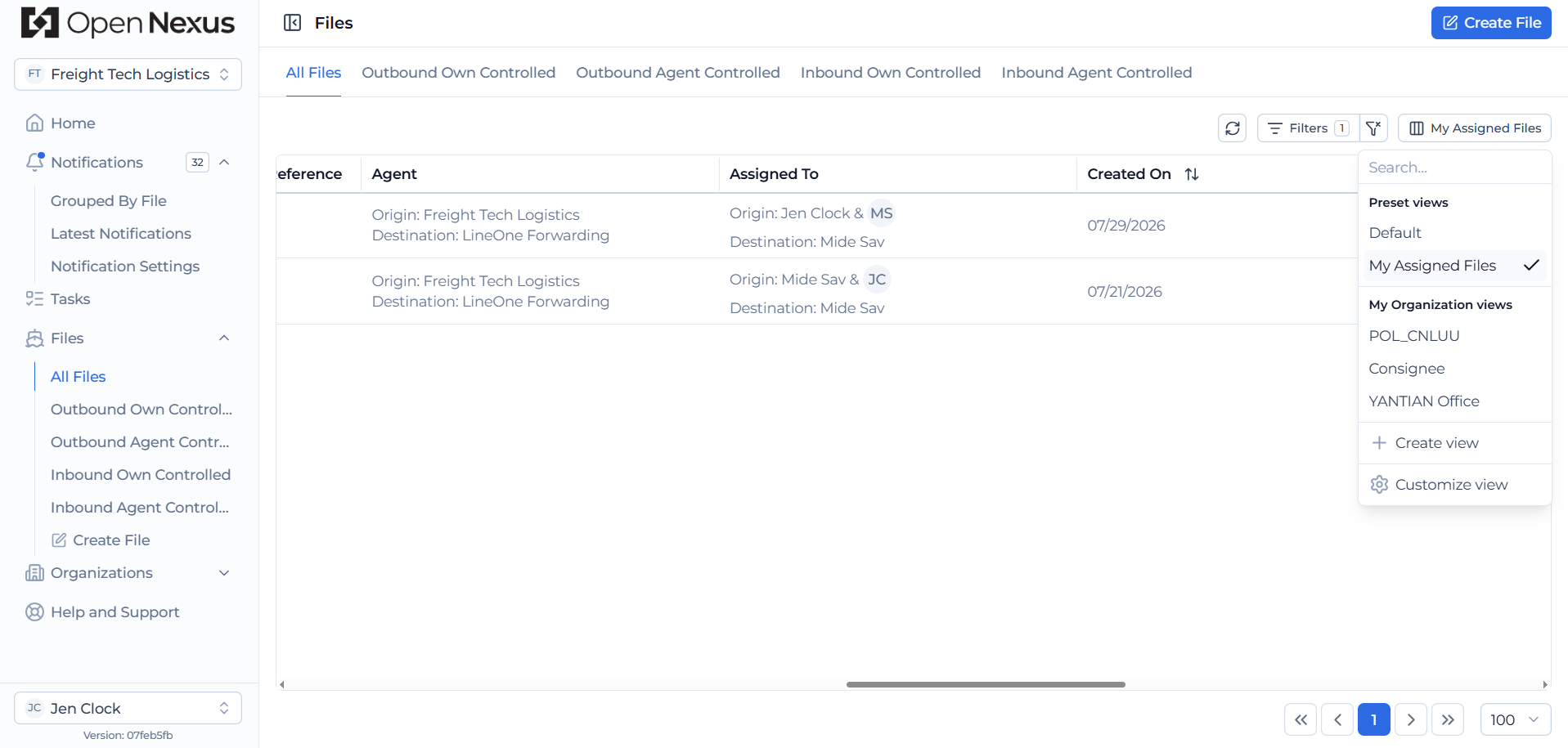
We've added My Assigned Files as a System Saved View.
With one switch, you can see Booking Files where you're assigned as Responsible or Informed. The Default view remains available when you want to see Booking Files across your organization.
🔔 More Important Booking File Notifications
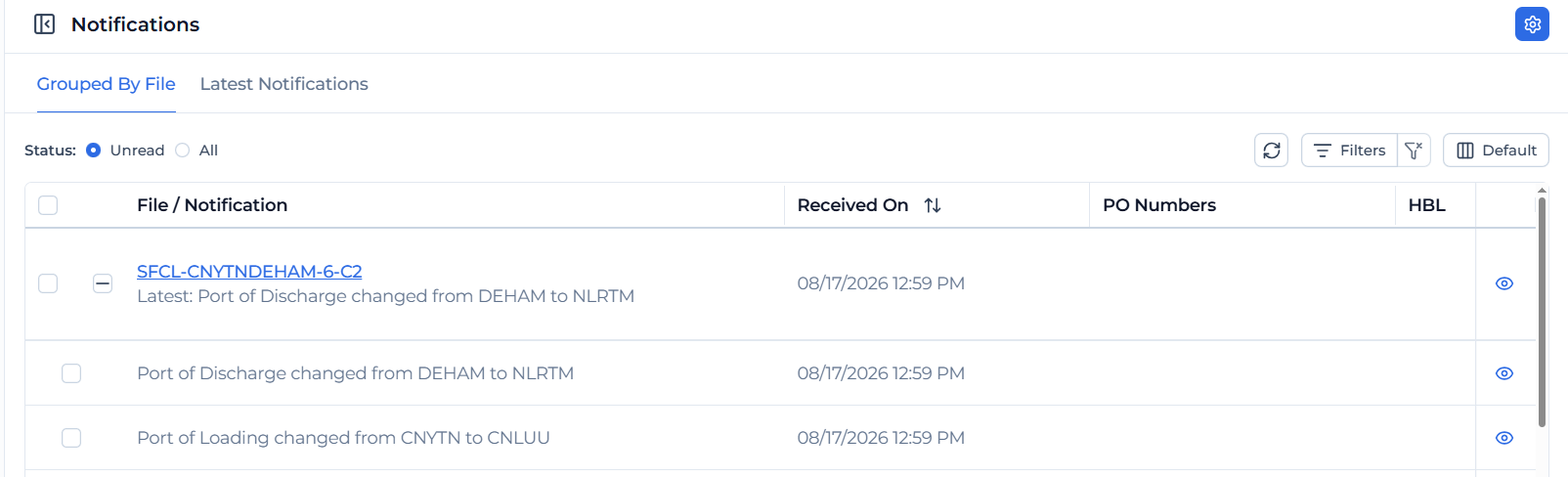
We've introduced additional notifications to help participants stay informed about important Booking File changes.
- POL & POD Changes: Participants are now notified when the Port of Loading or Port of Discharge changes.
- Booking Instructions Added: When a newly created Booking File contains Booking Instructions, participants receive a "Booking Instructions Added" notification so important instructions aren't missed.
Both notification types are enabled by default and can be switched off through Notification Settings if you don't need them.
🔗 TMS Reference Improvements
We've made several improvements to reduce manual work and make TMS references easier to manage.
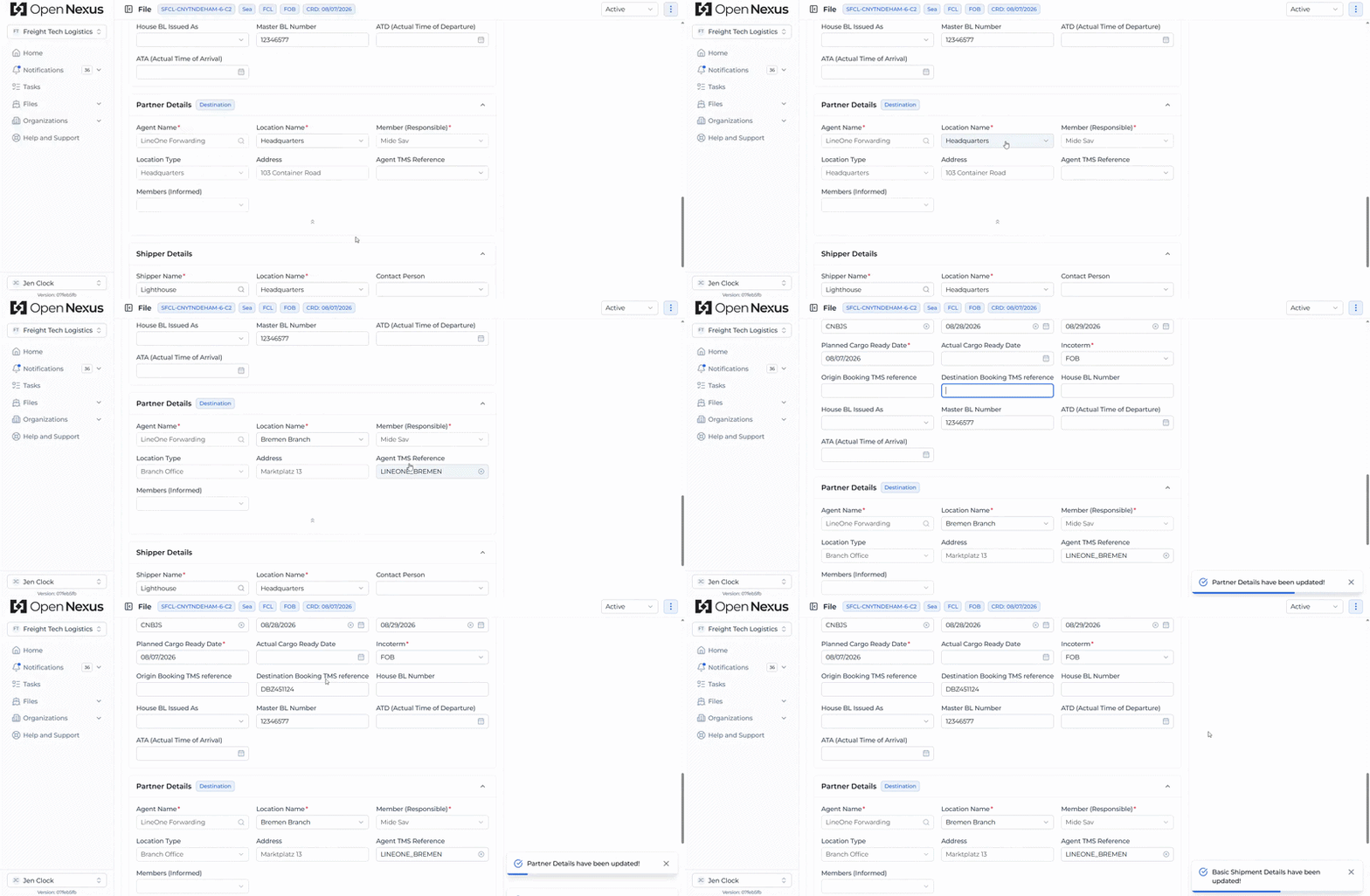
When only one TMS Reference is available for the selected organization location, Open Nexus now automatically selects it for Agent, Shipper, and Consignee details. This helps reduce missed TMS references that could otherwise cause a Booking File push to fail.
Origin Booking TMS Reference and Destination Booking TMS Reference can also now be updated after a Booking File has been created, allowing you to manually add or update the TMS booking reference linked to the Open Nexus Booking File.
💡 SOP & Public Roadmap in Help & Support
The Help & Support page now provides quick access to the Open Nexus Standard Operating Procedure (SOP) and Public Roadmap.
The SOP provides a shared guide for how you and your partners can work together effectively in Open Nexus, while the Public Roadmap gives you visibility into upcoming features and planned platform enhancements.

Try the Latest Features
Log in to Open Nexus today and explore these latest improvements designed to help you find information faster, stay better informed, and collaborate more effectively.
If you have any questions or feedback, we'd love to hear from you. Please contact us at support@open-nexus.com.
Thank you for using Open Nexus.
The Open Nexus Team