

TMS Reference
TMS Reference and Integration
A TMS Reference is how your own Transportation Management System identifies an organization or a location. Keeping them in Open Nexus means a Booking File carries the identifiers your TMS needs, so data can move between the two without anyone matching records by hand.
There are two kinds, and keeping them straight is the whole of this page:
| Kind | Where it is maintained |
|---|---|
| Your organization's references | Organization Settings → Profile |
| Partner references — how your TMS identifies the partners you work with | Private Directory |
Your organization's references
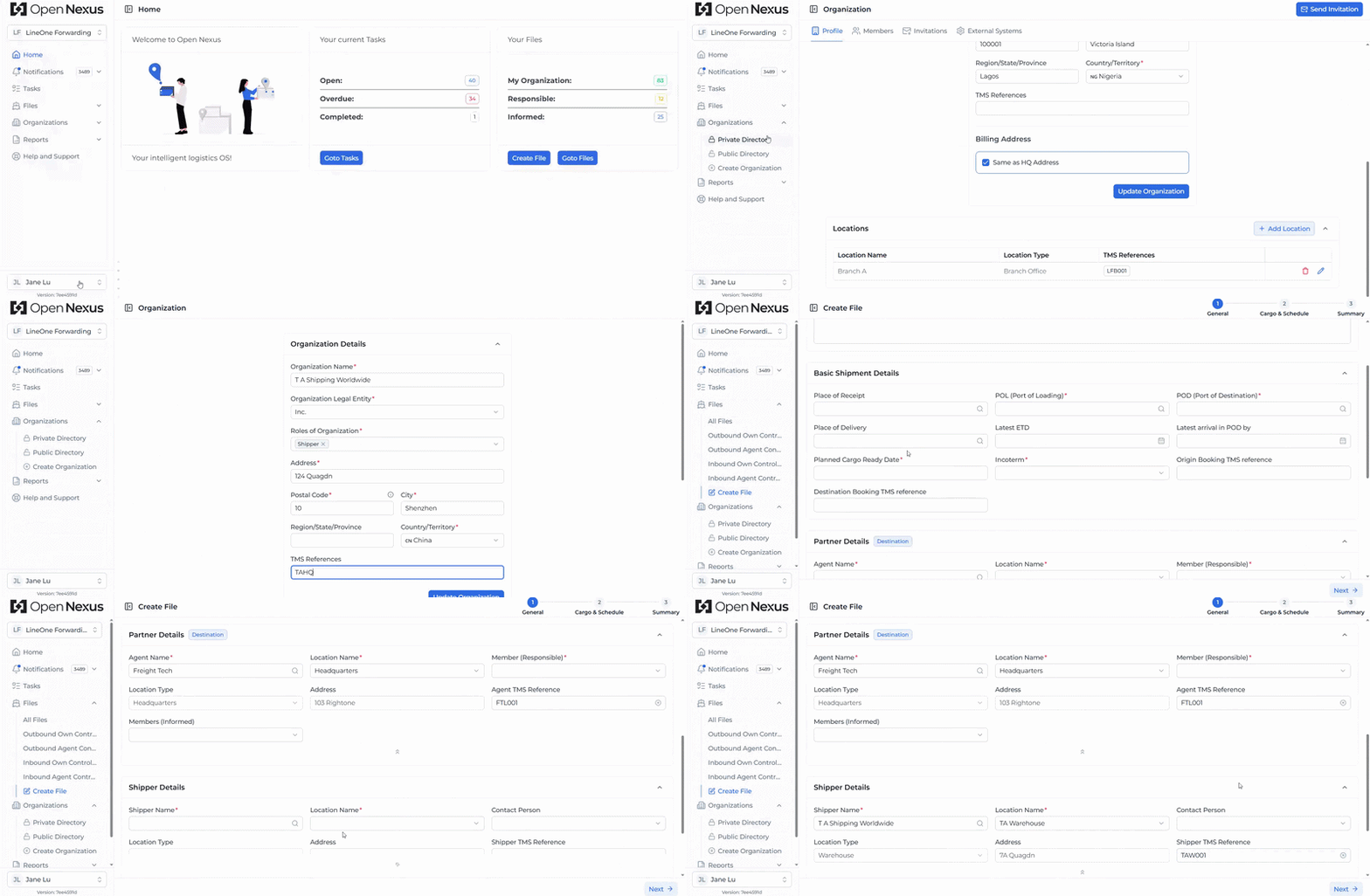
Manage these under Organization Settings → Profile.
The TMS References field on the main Profile is the reference for your Headquarters location.
Where your organization has more locations, each can carry its own:
- Go to Organization Settings → Profile.
- Scroll to Locations.
- Add a location, or edit an existing one.
- Enter the TMS Reference for that location.
- Save.
When a Booking File is created for one of your locations, Open Nexus uses that location's reference automatically. Your own reference is selected in the background and is not shown as a field on the Booking File form.
Partner references
You also maintain the references your TMS uses for the organizations you work with: freight forwarding partners, shippers and consignees.
These are managed from the Private Directory. Open the organization to add its Headquarters reference, or to manage references for its individual locations. As with your own organization, the reference on the main details is the Headquarters one, and additional locations can carry their own.
Partner references are private to your organization. They describe how those partners appear in your TMS and are never shared through the Public Directory. See Contact Directory.
How references are selected on a Booking File
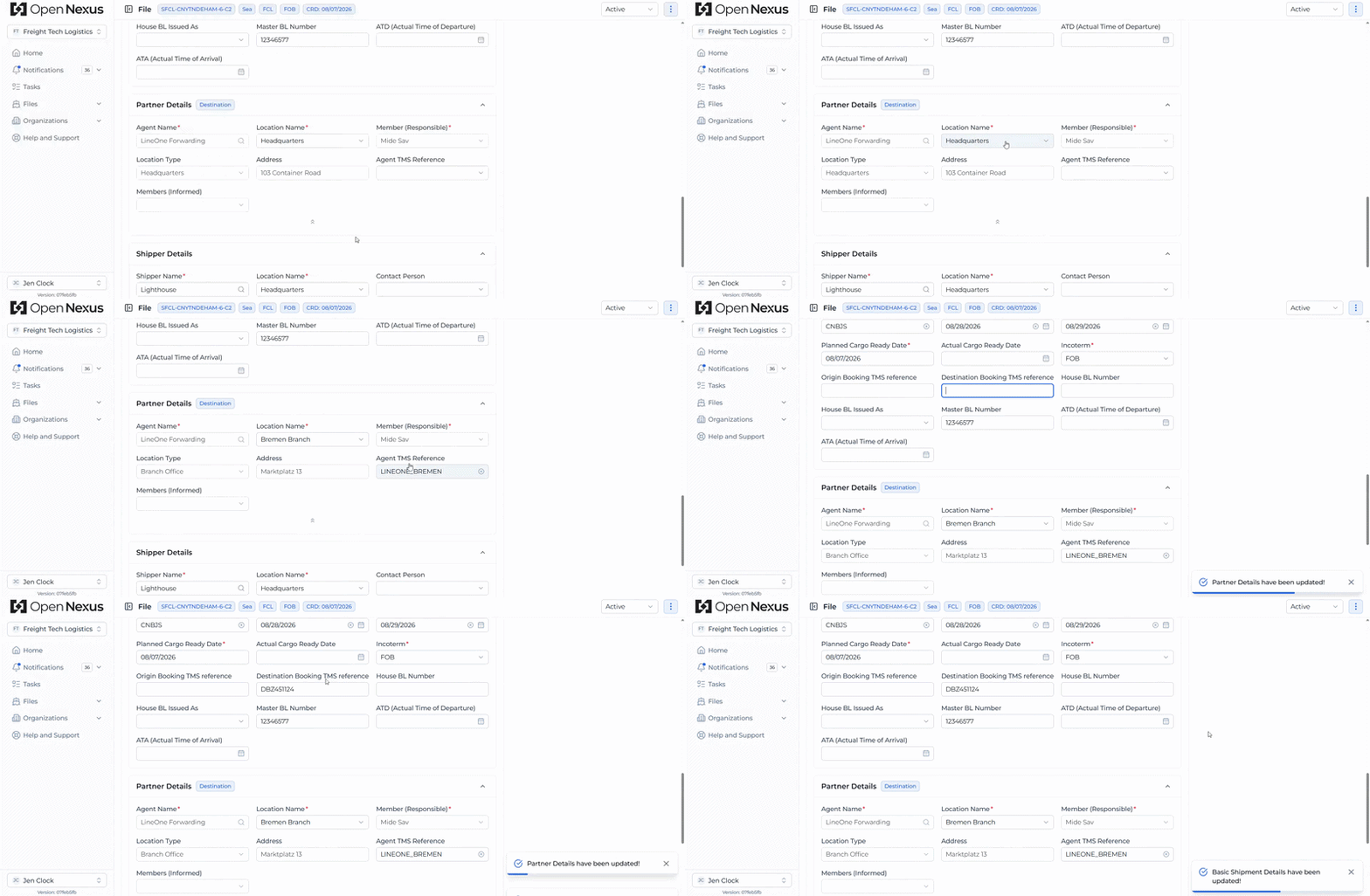
When a partner, shipper or consignee is selected, the matching reference appears in:
- Partner Details → Agent TMS Reference
- Shipper Details → Shipper TMS Reference
- Consignee Details → Consignee TMS Reference
Open Nexus fills these in for you, based on the organization and location selected:
| Situation | What happens |
|---|---|
| One reference exists for that location | It is selected automatically. |
| More than one exists | The most recently added is selected. |
| The location is changed | The reference updates automatically to match. |
| No reference exists | The field is left blank. |
The selected reference stays visible in Partner Details, so you can always see what will be used and change it if it is wrong.
💡 A missing TMS reference is a common reason a Booking File push to a TMS fails. The automatic selection removes most of that risk, but it can only pick a reference that exists — keep the Private Directory current.
Booking-level references
Separate from the organization references above, a Booking File carries two of its own:
- Origin Booking TMS Reference
- Destination Booking TMS Reference
These identify the booking itself in each side's TMS, rather than identifying an organization. Both can be added or updated after the Booking File has been created, so a reference generated later in your own system can still be recorded against the file.
Both are also available as filters on the Booking File View Table and as columns in the Notification View Table. See Views, Filters and Sorting and Notifications.
External systems
Configured TMS integrations are listed under Organization Settings → External Systems. Once an integration is set up, an entry for that TMS API appears there.
An organization can configure several integrations, each appearing as its own entry.
Why it matters
TMS references let Open Nexus:
- Match organizations and locations against the equivalent records in your TMS.
- Hold different references for Headquarters and other locations, and use the right one automatically.
- Keep separate references for freight forwarding partners, shippers and consignees.
- Connect to one TMS platform or several.
- Cut the manual matching out of exchanging shipment data.
💡 Think of it from two sides. Your own organization and locations are maintained under Organization Settings. Your partners, shippers and consignees are maintained in the Private Directory. Open Nexus draws on both when it prepares a Booking File for your TMS.