Transport Module
Communication
Freight forwarder collaboration and group chat within Booking Files.
9. Communication (Freight Forwarder Collaboration)
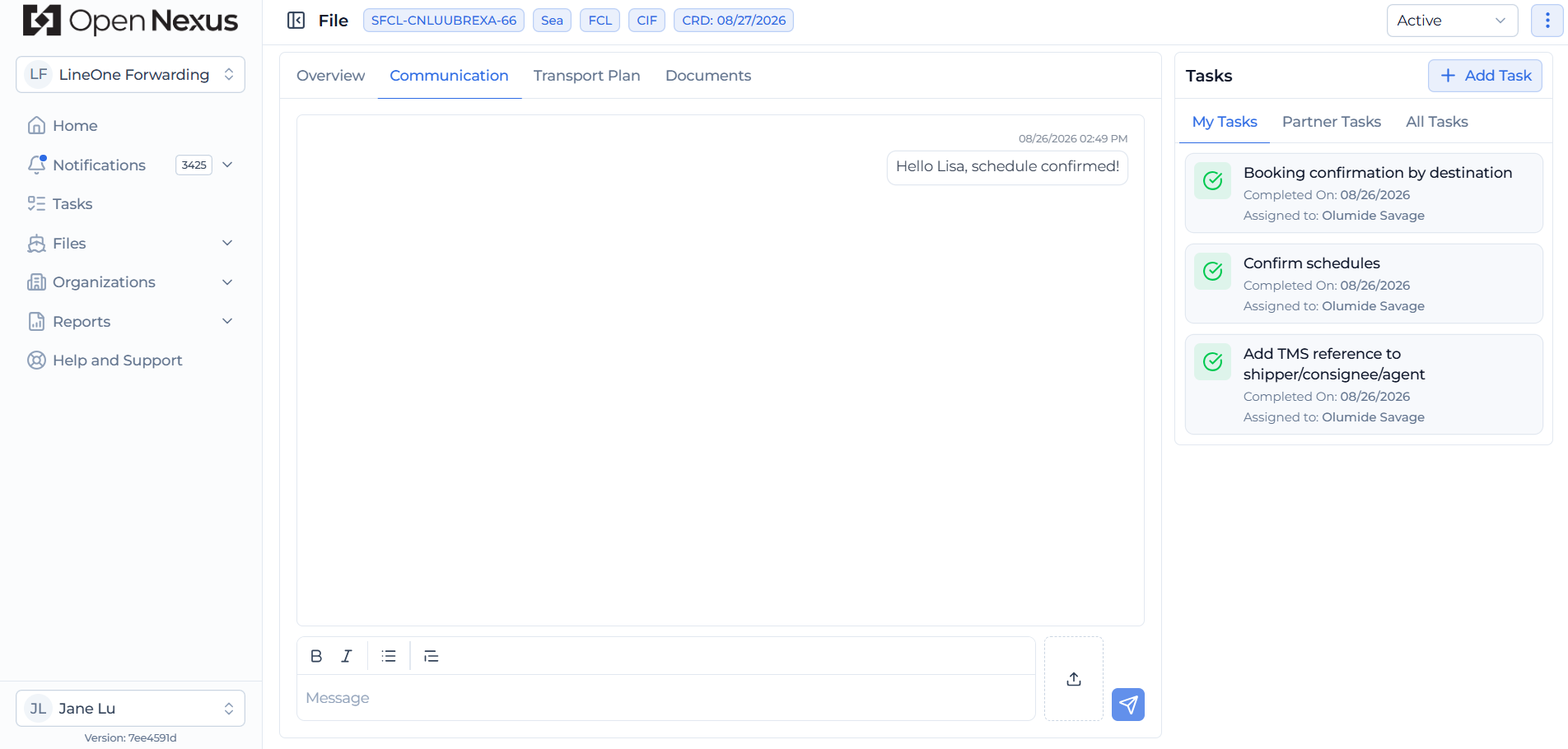
Communication in Open Nexus is managed through a group chat linked directly to each Booking File, allowing users from the freight forwarding organizations working on the shipment to communicate in one place. Additional communication channels may be added in future releases.
How It Works
- Open the Communication tab within the Booking File to access the group chat.
- Communication is limited to users from the Freight Forwarding Organizations assigned to the Booking File.
- Type your message in the message field and click the Send button to share it with the group.
- Use the upload icon beside the message field to attach a file to the conversation.
- Messages display the sender, message, and date/time, providing a record of the shipment conversation.
Why This Matters
- Keeps shipment communication connected to the relevant Booking File.
- Provides a shared conversation between users from the origin and destination Freight Forwarding Organizations.
- Reduces reliance on separate email conversations and helps both sides stay aligned.
Hint:
Keep shipment-related conversations within the Booking File so the relevant communication stays connected to the shipment.